
Choosing among electronic dictionaries for students comes down to one question: does your coursework need a single deep English reference, or live translation across languages? For most students, the Franklin SCG-1870 Ultimate Portable Reference Suite is the best overall pick because it bundles a speaking dictionary, thesaurus, and expansion cards into one device that covers years of coursework. Language learners get more from the Franklin BES-2170 Speaking Spanish-English Dictionary, while younger or struggling readers benefit most from the WorldPenScan AI Reading Pen, which scans text directly off the page. The main tradeoff in this category is depth versus simplicity: reference suites are powerful but menu-heavy, while single-purpose dictionaries are instant to use but limited. Battery life, screen quality, and whether a device speaks words aloud also separate models more than price does. Read on for the full breakdown of all 11 picks.

Prime made for students and young adults
- Fast, free delivery for dorm and study essentials
- Prime Video and Amazon Music included
- Member-only deals
Key Takeaways
- Franklin dominates this lineup because its speaking dictionaries and reference suites pair phonetic spell correction with audible pronunciation — the two features that matter most when students are learning unfamiliar vocabulary.
- Japanese-style color models like the Sharp Brain PW-SH2-A offer far richer reference libraries than Western handhelds, but their menus and content assume Japanese-language users, making them a niche pick for students of Japanese rather than a general choice.
- Reading pens and classic monolingual dictionaries solve opposite problems: the WorldPenScan helps students who struggle to decode printed text, while the Franklin MDE-1200 and Collins Express models serve confident readers who just need fast definitions and synonyms.
- Expansion capability was a quiet differentiator — only the Franklin SCG-1870 accepts expansion cards, which spreads its cost across multiple subjects instead of locking students into one dictionary.
- Several budget monolingual units (LEXiBOOK D650EN, Lexibook Collins D850EN) overlap heavily in function; the deciding factors between them are screen readability and how quickly a lookup can be completed mid-essay.
| Franklin DBE-1200 Spanish-English Electronic Dictionary and Translator |  | Best Overall for Spanish Learners | Model: DBE-1200 | Languages: English and Spanish | Translations: 1,000,000+ | VIEW LATEST PRICE | See Our Full Breakdown |
| Franklin Webster’s Spelling Corrector NCS-100 with Phonetic Spell Correction |  | Best Budget Pick for Spelling Support | Model: NCS-100 | Word Database: 80,000+ words from Merriam-Webster | Spell Correction: Phonetic spell correction | VIEW LATEST PRICE | See Our Full Breakdown |
| LEXiBOOK D650EN English Dictionary |  | Best Value English Reference | Brand: LEXiBOOK | Model: D650EN | Word Entries: 380,000 | VIEW LATEST PRICE | See Our Full Breakdown |
| Franklin SCG-1870 Ultimate Portable Reference Suite with Speaking Dictionary and Expansion Cards |  | Franklin SCG-1870 Ultimate Portable | Dictionary: Merriam-Webster’s Collegiate Dictionary | Word Count: Over 200,000 | Synonyms: 500,000 | VIEW LATEST PRICE | See Our Full Breakdown |
| Franklin BES-2170 Speaking Spanish-English Dictionary |  | Best for Pronunciation Practice | Translations: Over 5 million | Spoken Phrases: 4,800 | English Dictionary: Merriam-Webster’s Advanced Learner’s Dictionary | VIEW LATEST PRICE | See Our Full Breakdown |
| WorldPenScan AI Reading Pen with Dictionary, Text-to-Speech, Translation, and Reading Support |  | Best for Reading Support | Languages: English, Spanish, and Chinese | Offline features: Text-to-speech, translation, and built-in dictionary | Connected features: AI explanations, AI Reading Buddy, quizzes, enhanced dictionaries, and translation | VIEW LATEST PRICE | See Our Full Breakdown |
| Franklin MES-2400 Digital Talking Dictionary and Multilingual Translator |  | Best for Offline Language Practice | Languages: English, Spanish, Italian, German, and French | Translation: Offline | Speech: Native human voice pronunciation for words and phrases | VIEW LATEST PRICE | See Our Full Breakdown |
| SHARP Brain High School Model Color Electronic Dictionary (Blue, PW-SH2-A) |  | Best for Japanese High School Study | Model: PW-SH2-A | Color: Blue | Product dimensions: 3.8 × 6 × 0.72 inches | VIEW LATEST PRICE | See Our Full Breakdown |
| Franklin Collins English Digital Dictionary Express Edition |  | Best for English Vocabulary Building | Brand: Franklin | Model: DMQ-221 | Item weight: 180 g | VIEW LATEST PRICE | See Our Full Breakdown |
| Lexibook Collins English Dictionary, 13th Edition Electronic Dictionary, Blue/White (D850EN) |  | Best for Broad English Reference | Dictionary edition: Collins English Dictionary, 13th Edition | Words, meanings, and phrases: 725,000 | Dictionary verbs: 8,000 | VIEW LATEST PRICE | See Our Full Breakdown |
| Franklin MDE-1200 Electronic Dictionary and Thesaurus |  | Best for Standardized Test Prep | Headwords: 80,000 | Definitions: 250,000 | Synonyms: 15,000 | VIEW LATEST PRICE | See Our Full Breakdown |
| electronic dictionaries for student | Model |
|---|---|
| Franklin DBE-1200 Spanish-Engl | DBE-1200 |
| Franklin Webster’s Spelling Co | NCS-100 |
| LEXiBOOK D650EN English Dictio | D650EN |
| Franklin SCG-1870 Ultimate Por | — |
| Franklin BES-2170 Speaking Spa | — |
| WorldPenScan AI Reading Pen wi | — |
| Franklin MES-2400 Digital Talk | MES-2400 |
| SHARP Brain High School Model | PW-SH2-A |
| Franklin Collins English Digit | DMQ-221 |
| Lexibook Collins English Dicti | — |
| Franklin MDE-1200 Electronic D | MDE1200 |
More Details on Our Top Picks
Franklin DBE-1200 Spanish-English Electronic Dictionary and Translator
This model stands out for balanced depth and offline independence: 150,000 words, a million translations, and a 250,000-entry definitions bank make it a genuine study companion rather than a lookup toy. Compared with the Franklin BES-2170, it trades spoken pronunciations for a larger zoomable LCD and a broader study toolkit — test-prep vocabulary lists, grammar drills, and solvers that the BES-2170 approaches more lightly. The 7,000-entry phrasebook is a real asset for conversational practice. The tradeoff is focus: unlike the Franklin SCG-1870, which leans on Merriam-Webster authority and encyclopedia content, the DBE-1200 is strictly bilingual. Students who only need English reference work should look elsewhere, but for Spanish coursework this is the most complete package.
Pros:- Large translation and definitions database covering coursework vocabulary
- Fully offline with no subscription or app dependency
- Test-prep vocabulary and grammar tools built for study sessions
- Zoomable 3-inch display is more readable than smaller rivals’ screens
- Phrasebook with 7,000 entries supports conversational practice
Cons:- Limited to English and Spanish only
- Small 3-inch display compared with tablet-based alternatives
Best for: High school and college students in Spanish classes who need definitions, translations, and test prep without Wi-Fi
Not ideal for: Students studying multiple languages or English-only coursework — it’s locked to a single language pair
- Model:DBE-1200
- Languages:English and Spanish
- Translations:1,000,000+
- Words:150,000+
- Definitions:250,000
- Phrasebook:7,000-entry English-Spanish
- Display:3-inch zoomable LCD
- Connectivity:Offline; no Wi-Fi required
- Tools:Spell checker, grammar tools, thesaurus, word games, solvers
Our verdict“The most well-rounded pick for Spanish students who want a distraction-free, offline study tool.”
Franklin Webster’s Spelling Corrector NCS-100 with Phonetic Spell Correction
Where the Franklin DBE-1200 aims at full bilingual coursework, the NCS-100 does one thing well: phonetic spell correction from an 80,000-word Merriam-Webster database. Type a word the way it sounds and the device suggests the correct spelling — a genuine help for younger students and struggling spellers who can’t get close enough for a paper dictionary. The confusable-word function catches mix-ups like their/there, and six games add practice without feeling like drill work. The tradeoff is scope: no definitions database to rival the LEXiBOOK D650EN, no translations, no conjugations. It also competes awkwardly with free phone apps, though its distraction-free, pocketable design is exactly the point for classroom use where phones aren’t allowed.
Pros:- Phonetic correction finds words by sound, not exact spelling
- Merriam-Webster word database of 80,000+ entries
- Confusable-word function flags commonly misused words
- Six educational games reinforce vocabulary practice
Cons:- Single-purpose device that duplicates free smartphone spell-checkers
- Very small screen limits readability for longer sessions
Best for: Elementary and middle school students who need spelling help during class and homework without phone distractions
Not ideal for: Students who need definitions, thesaurus content, or translation — this is spelling-only
- Model:NCS-100
- Word Database:80,000+ words from Merriam-Webster
- Spell Correction:Phonetic spell correction
- Games:Anagrams, Hangman, Jumble, User Anagrams, User Hangman, Word Builder
- Special Features:Confusable word function, crossword puzzle solver
- Format:Compact handheld device
Our verdict“A focused, affordable spelling helper for younger students — as long as spelling is the only gap to fill.”
LEXiBOOK D650EN English Dictionary
This option makes the most sense for English-only study on a budget: 380,000 word entries with up to six definitions each, 78,000 synonyms, and 8,000+ verb conjugations cover far more ground than the Franklin NCS-100, which stops at spelling help. Unlike the bilingual Franklin BES-2170, everything here is aimed at vocabulary building and writing — thesaurus, grammar tools, crossword solver, and games included. The surprise is the utility bundle: a calculator, currency and metric converters, and memo list make it a plausible single pocket device for school. The honest drawback is the three-line display, which forces scrolling through longer definitions and feels cramped next to the DBE-1200’s zoomable screen. Large buttons and a magnification function partly compensate.
Pros:- Large 380,000-entry vocabulary with multiple definitions per word
- Thesaurus, grammar tools, and verb conjugation in one device
- Built-in calculator, converters, and memo utilities add school-day value
- Large buttons and magnification function aid younger or visually limited users
Cons:- Three-line display limits how much of a definition is visible at once
- Crossword and game tools feel basic compared with fuller reference suites
Best for: Students and writers who want a deep English dictionary plus everyday utilities in one inexpensive device
Not ideal for: Language learners or translators — there’s no bilingual content at all
- Brand:LEXiBOOK
- Model:D650EN
- Word Entries:380,000
- Synonyms:78,000
- Verb Conjugations:More than 8,000 verbs across four tenses
- Display:Three-line screen
- Features:Thesaurus, spellchecker, grammar tools, crossword solver, Hangman, Jumble, anagram solver
- Additional Functions:Calculator, memo list, currency and metric conversion, clock, date
- Age Range:3+
Our verdict“The strongest value for English vocabulary work, provided the tiny screen doesn’t put you off.”
Franklin SCG-1870 Ultimate Portable Reference Suite with Speaking Dictionary and Expansion Cards
Positioned as the premium reference pick, the SCG-1870 is less a dictionary and more a pocket library: Merriam-Webster’s Collegiate Dictionary with 200,000+ words, 500,000 synonyms, spoken pronunciations, plus expansion cards for the Concise Columbia Encyclopedia and Great Documents of American History. That history card alone sets it apart from the LEXiBOOK D650EN — this is a device for research essays and civics classes, not just vocabulary drills. Compared with the Franklin BES-2170, its strength is English-language authority rather than translation volume. The tradeoffs are real: an older design, bulkier than modern slim handhelds, and a premium price for content many students may only occasionally use. Serious students get their money’s worth; casual users won’t.
Pros:- Merriam-Webster’s Collegiate Dictionary with 200,000+ words
- 500,000-entry synonym library for writing and revision
- Spoken pronunciations support correct word usage
- Encyclopedia and American history expansion cards add research value
Cons:- Dated design and form factor compared with newer handhelds
- Premium content that may be underused by casual students
- Expansion-card system adds complexity some users won’t want to manage
Best for: Advanced students and researchers who want collegiate-level definitions, an encyclopedia, and primary-source history documents in one device
Not ideal for: Casual users or younger students — the depth and cost go beyond everyday spelling and vocabulary needs
- Dictionary:Merriam-Webster’s Collegiate Dictionary
- Word Count:Over 200,000
- Synonyms:500,000
- Pronunciation:Spoken word pronunciations
- Expansion Card 1:ENC-4047 Concise Columbia Encyclopedia
- Expansion Card 2:GDS-2026 Great Documents of American History
- Format:Portable handheld reference suite
Our verdict“A reference library in your pocket — worth it for research-heavy students, overkill for everyone else.”
Franklin BES-2170 Speaking Spanish-English Dictionary
This pick earns its place through audio: over 5 million translations plus 4,800 spoken words and phrases, which the Franklin DBE-1200 can’t match — the DBE-1200 has more study tooling, but it stays silent. For students working on speaking and listening skills, hearing conversational phrases aloud changes how the material sticks. Merriam-Webster’s Advanced Learner’s English dictionary sits inside too, along with grammar guides, verb conjugation, quizzes, and phonetic spell correction. The feature list sprawls into calculator, converters, and a databank, which adds value but also clutter. Drawbacks: it runs on two AA batteries with no stated battery life, and its 6.7-ounce body is chunkier than the slimmer NCS-100. Compared with the MES-2400 multilingual translator, it goes deeper on the Spanish-English pair rather than broader across languages.
Pros:- Over 5 million translations across a deep bilingual database
- 4,800 spoken words and phrases for pronunciation modeling
- Study lists, quizzes, and grammar guides support structured learning
- Backlight and adjustable font sizes improve usability in dim classrooms
Cons:- Runs on 2 AA batteries with no published battery-life figures
- Menu system feels crowded with secondary tools like the databank and converters
- Bulkier than competing slim handhelds
Best for: Spanish students who need to hear pronunciations and practice conversational phrases, not just read translations
Not ideal for: Students who only need silent lookups or who prefer rechargeable devices — this one depends on replaceable AA batteries
- Translations:Over 5 million
- Spoken Phrases:4,800
- English Dictionary:Merriam-Webster’s Advanced Learner’s Dictionary
- Additional Features:Thesaurus, grammar guides, verb conjugation, quizzes, spell correction, calculator, converters, databank, clock, backlight
- Dimensions:4.3 x 0.75 x 5.5 inches
- Weight:6.7 ounces
- Batteries:2 AA batteries required
- Model Number:BES-2170
Our verdict“The go-to choice when hearing the language matters as much as reading it.”
WorldPenScan AI Reading Pen with Dictionary, Text-to-Speech, Translation, and Reading Support
The WorldPenScan AI Reading Pen is the strongest fit here for students who need help understanding a passage, not just looking up a single word. It scans words, sentences, and ideas, with connected AI explanations and quizzes that can support independent reading. Offline, it still offers text-to-speech, translation, and a built-in dictionary, so basic study tools remain available without a connection. Compared with the Franklin MES-2400, which focuses on spoken words and offline phrase translation, this pen puts more emphasis on comprehension and learning support. That broader help comes with a connection tradeoff: AI explanations, quizzes, and some enhanced reference features require internet access. Its listed language support is also limited to English, Spanish, and Chinese, so students working across other languages should look elsewhere.
Pros:- Scans words, sentences, and ideas for explanations
- Includes offline text-to-speech, translation, and a dictionary
- Connected reading support includes quizzes and AI explanations
- Designed to help students read more independently
Cons:- AI reading support and some enhanced reference features need an internet connection
- Listed language support is limited to English, Spanish, and Chinese
Best for: Growing readers, ESL learners, and students who benefit from hearing scanned text and getting explanations of unfamiliar passages
Not ideal for: Students who need every feature offline or need dictionary and translation support beyond English, Spanish, and Chinese
- Languages:English, Spanish, and Chinese
- Offline features:Text-to-speech, translation, and built-in dictionary
- Connected features:AI explanations, AI Reading Buddy, quizzes, enhanced dictionaries, and translation
- Intended users:Growing readers, ESL learners, and students needing reading support
- Product type:Reading pen with dictionary and translation tools
- Input method:Scans words, sentences, and ideas
Our verdict“Choose the WorldPenScan for reading comprehension support and scanned-text tools, provided the student can connect for its AI features.”
Franklin MES-2400 Digital Talking Dictionary and Multilingual Translator
The Franklin MES-2400 suits students who want to hear pronunciation and check common translations without relying on a network. Its native-voice speech, phrase book, and spelling correction make it a practical pocket reference for language classes and travel. Compared with the WorldPenScan AI Reading Pen, it offers less reading-comprehension support, but its offline translation across five listed languages makes it more dependable when a connection is unavailable. The tactile keypad also gives it a focused, straightforward feel rather than the connected learning features found on the pen. The tradeoff is scope: it supports English, Spanish, Italian, German, and French, so students studying other languages will need a different device. Its dictionary and translation functions are geared toward quick lookups and phrases rather than scanned passages or quizzes.
Pros:- Provides offline translation among five listed languages
- Pronounces words and phrases in a native human voice
- Includes a phrase book and spelling correction
- Portable design with a tactile keypad
Cons:- Supports only English, Spanish, Italian, German, and French
- Does not offer the scanned-passage explanations or quizzes available with the WorldPenScan
Best for: Students studying English, Spanish, Italian, German, or French who need offline translations and spoken pronunciation
Not ideal for: Students learning languages outside the five listed or those who need scanned-text reading help and comprehension exercises
- Languages:English, Spanish, Italian, German, and French
- Translation:Offline
- Speech:Native human voice pronunciation for words and phrases
- Other features:Phrase book, phonetic spelling correction, and typographical spelling correction
- Model:MES-2400
- Package dimensions:6.61 × 6.38 × 1.14 inches
- Item weight:10.5 ounces
Our verdict“Pick the MES-2400 for offline phrase translation and spoken language practice in one of its five supported languages.”
SHARP Brain High School Model Color Electronic Dictionary (Blue, PW-SH2-A)
The SHARP Brain PW-SH2-A is aimed at high school study, with a color display and compact body suited to carrying between classes. Its place in this roundup depends on the student’s market and language needs: the product information identifies it as a Japanese-market model, with menus and content likely in Japanese. That makes it a more specialized choice than the Franklin Collins DMQ-221, which is described as an English dictionary with spelling and word-usage tools. Two AA batteries are replaceable with widely available cells, a useful advantage for students who cannot count on charging access. The main tradeoff is uncertainty for buyers outside Japan: language availability and regional access may limit its usefulness. The supplied details also give little information about the dictionary’s specific content or study functions.
Pros:- Color display supports reading and study
- Compact dimensions suit carrying in a school bag
- Uses two standard AA batteries
- Designed as a high school model
Cons:- Menus and content are likely Japanese only
- May be difficult to obtain outside Japan
- Available product details do not specify dictionary content or study functions
Best for: High school students in Japan seeking a compact color-screen study device with replaceable AA batteries
Not ideal for: Students outside the Japanese market or anyone who needs confirmed English-language menus, dictionary content, and study tools
- Model:PW-SH2-A
- Color:Blue
- Product dimensions:3.8 × 6 × 0.72 inches
- Weight:10.6 ounces
- Power:Two AA batteries required
- Display:Color
- Date first available:March 25, 2015
Our verdict“Consider the PW-SH2-A for Japanese high school study if its language and regional fit are confirmed before purchase.”
Franklin Collins English Digital Dictionary Express Edition
The Franklin Collins DMQ-221 is a good match for students who want a dedicated English reference with tools for building vocabulary. Its stated collection of over 118,000 words, definitions, and phrases is paired with a thesaurus listing 500,000 synonyms and antonyms, while custom word lists let learners keep track of terms they want to revisit. Six games across four difficulty levels add a practice option. Compared with the Lexibook D850EN, the DMQ-221 specifies a large thesaurus and several games, while the Lexibook lists a much larger word, meaning, and phrase count plus verb conjugation and crossword solving. The Franklin’s practical extras include a calculator, converters, and world clock. Its drawbacks are that the supplied data does not identify battery details or a screen, and it is centered on English rather than multilingual translation.
Pros:- Lists over 118,000 words, definitions, and phrases
- Thesaurus includes 500,000 synonyms and antonyms
- Custom word lists and six games support vocabulary practice
- Includes calculator, converters, and world clock
Cons:- English-focused reference does not provide the multilingual offline translation offered by the Franklin MES-2400
- Provided product data does not specify battery type or screen details
Best for: Students building English vocabulary who want a thesaurus, custom practice lists, and word games in a portable reference
Not ideal for: Students who need offline translation between languages or specific information about screen and battery performance before choosing
- Brand:Franklin
- Model:DMQ-221
- Item weight:180 g
- Dictionary content:Over 118,000 words, definitions, and phrases
- Thesaurus:500,000 synonyms and antonyms
- Word games:Six games with four difficulty levels
- Additional tools:Spelling and word-usage tools, custom word lists, calculator, converters, and world clock
Our verdict“Choose the DMQ-221 for English vocabulary study with extensive thesaurus content and practice tools.”
Lexibook Collins English Dictionary, 13th Edition Electronic Dictionary, Blue/White (D850EN)
The Lexibook D850EN stands out for students who want a wide-ranging English reference that reaches beyond definitions. Its Collins 13th Edition content lists 725,000 words, meanings, and phrases, alongside a thesaurus, spellchecker, crossword solver, and verb conjugation tools. The conjugation coverage can help students check forms while writing, and the four-line display includes magnification for easier reading. Compared with the Franklin Collins DMQ-221, the Lexibook lists a much larger dictionary collection and adds conjugation and crossword solving; the Franklin instead specifies a larger thesaurus count and more word games. The Lexibook includes three games and practical conversion tools, but the description does not state battery type or life, or screen dimensions. Students seeking spoken pronunciation or offline multilingual translation should favor the Franklin MES-2400 instead.
Pros:- Lists 725,000 words, meanings, and phrases
- Combines thesaurus, spellchecking, crossword solving, and verb conjugation
- Supports conjugation for over 7,000 verbs
- Four-line display includes magnification
Cons:- Battery type and battery life are not specified
- Screen dimensions are not provided
- Does not list spoken pronunciation or multilingual translation
Best for: English-speaking students who want broad reference coverage, spelling support, verb forms, and crossword help in one device
Not ideal for: Students who need spoken pronunciation, multilingual translation, or confirmed battery and screen-size details
- Dictionary edition:Collins English Dictionary, 13th Edition
- Words, meanings, and phrases:725,000
- Dictionary verbs:8,000
- Verb conjugation:Over 7,000 verbs; simple present, simple past, present participle, and past participle
- Display:Four-line screen with magnification
- Word games:Hangman, Word Jumble, and Anagram
- Additional functions:Thesaurus, spellchecker, phonetic spell correction, crossword solver, calculator, currency and unit converters, and user list
- Model and color:D850EN, blue and white
Our verdict“Choose the D850EN for broad English lookup and writing support, especially if verb conjugation and crossword solving are useful.”
Franklin MDE-1200 Electronic Dictionary and Thesaurus
Where most entries in this lineup are general-purpose lookups — the Franklin Collins English Digital Dictionary Express Edition is a straightforward definitions tool, and the Lexibook Collins English Dictionary D850EN leans on its licensed Collins database — the MDE-1200 earns its spot by doubling as a study companion. The built-in vocabulary banks for TOEFL, SAT, GRE, GMAT, and TOEIC mean a student prepping for exams gets targeted drills rather than just raw lookups, something none of the other Franklin units here emphasize. The 80,000 headwords and 250,000 definitions cover everyday academic reading well, and the zoomable 3-inch LCD is genuinely useful for cramped textbook margins. The tradeoff is that it doesn’t speak — students who want pronunciation help should look at the Franklin BES-2170 or MES-2400 instead — and there’s no translation support at all. Compared with the Sharp Brain PW-SH2-A, it’s far lighter and cheaper to run, but far shallower in content. This pick makes the most sense for English-only students whose real goal is a test score, not a reference library.
Pros:- Dedicated TOEFL, GRE, SAT, GMAT, and TOEIC vocabulary banks turn study sessions into targeted practice
- Four tools in one device: dictionary, thesaurus with 15,000 synonyms, spell checker, and grammar guide
- Word solvers and educational games make repetitive vocabulary building less tedious
- Featherweight 5-ounce body with zoomable, contrast-adjustable screen for easy reading anywhere
- Runs on cheap, replaceable AA batteries — no charging cable to lose
Cons:- No audio output, so students can’t hear pronunciations unlike speaking models such as the BES-2170
- English-only content with zero translation capability
- Two AA batteries add recurring cost and can die mid-study session without spares
Best for: High school and college students actively preparing for SAT, GRE, TOEFL, or similar vocabulary-heavy exams who want drills and games alongside definitions
Not ideal for: Language learners or travelers needing translation or audible pronunciation — this is English-only and silent, so bilingual students should skip it
- Headwords:80,000
- Definitions:250,000
- Synonyms:15,000
- Antonyms:12,000
- Screen:3-inch zoomable LCD
- Item weight:5 ounces
- Package dimensions:4.76 x 4.72 x 0.87 inches
- Batteries:2 AA batteries required
- Model:MDE1200
Our verdict“Buy the MDE-1200 if standardized test vocabulary is your main goal; skip it if you need spoken pronunciation or any translation features.”
How We Picked
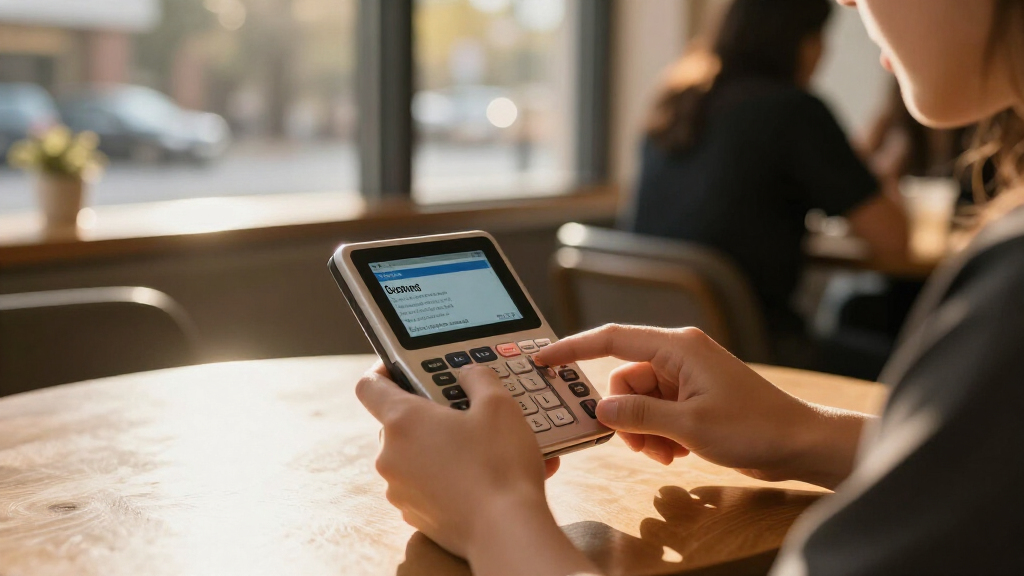
I evaluated each dictionary through a student’s daily routine: looking up words during reading, drafting essays, studying for vocabulary tests, and — for language learners — checking pronunciation. The criteria that separated the top picks were lookup speed (how many keystrokes from a misspelled word to a definition), phonetic spell correction (non-negotiable for younger and dyslexic students), audio pronunciation, and breadth of reference content beyond a single dictionary. Build quality and battery approach mattered too, since these devices live in backpacks and are often banned from Wi-Fi-dependent tools during exams.
The ranking order reflects a simple hierarchy: devices that serve the widest range of coursework rank highest, single-purpose tools rank where their niche is strongest, and overlapping budget models are separated by usability details rather than raw features. That is why the speaking, expandable Franklin suite leads the list while the spelling-corrector-only NCS-100 sits near the bottom — useful, but too narrow for a student’s full workload.
Factors to Consider When Choosing Electronic Dictionaries For Students
Before picking a specific model, it helps to understand what actually separates a useful study tool from an expensive paperweight. These are the factors I weighed most heavily, plus the mistakes students and parents tend to make.Match the Dictionary Type to the Coursework
The single biggest mistake buyers make is purchasing a monolingual English dictionary when the student’s real need is translation, or vice versa. A Spanish-English model like the Franklin BES-2170 or DBE-1200 is built around bidirectional lookup, verb conjugations, and spoken phrases — features an English-only unit simply lacks. Conversely, a student writing English essays gets more value from a combined dictionary-thesaurus like the Franklin MDE-1200, because synonym work matters more than translation. Ask what the student will actually look up in a given week; the honest answer usually narrows the list to two or three models immediately. Also check whether the device is permitted in exams at your school, since some institutions only allow models without translation functions.
Phonetic Spell Correction Is the Feature Students Undervalue
Students rarely know how to spell the words they need to look up — that is the whole reason they are looking them up. Phonetic spell correction means typing fiziks still returns physics, which transforms the device from occasionally helpful to constantly used. Franklin built its reputation on this feature, and it shows across their lineup, while budget units from other brands often require near-perfect spelling before returning a result. For younger students, dyslexic learners, and anyone studying a language with unfamiliar orthography, this feature should outrank dictionary size in your decision. If a model does not clearly state phonetic correction, assume it does not have it.
Speaking Functionality: When Audio Earns Its Cost
Spoken pronunciation is genuinely useful for language learners, auditory learners, and vocabulary test prep — hearing a word repeatedly builds recall faster than reading it. However, audio adds cost and battery drain, and it is wasted on a confident reader who only needs quick definitions. Models like the Franklin MES-2400 and BES-2170 use recorded or synthesized speech of varying quality, so check whether the language pair you need is actually voiced. Reading pens take audio further by adding text-to-speech for whole passages, which crosses into assistive-reading territory. Decide whether the student needs word-level pronunciation or passage-level support; the answer points to very different devices.
Screen, Keyboard, and Handheld Ergonomics
An electronic dictionary lives or dies on how fast a student can get from question to answer. Small monochrome screens with cramped keyboards — common on budget units — slow lookups and cause fatigue during long study sessions. The Sharp Brain’s color display shows why screen quality matters: definitions, example sentences, and multiple dictionary panels are far easier to compare on a larger, clearer screen. Physical keyboard feel matters more than people expect, since students type on these devices the way they once thumbed flip phones. A device that is pleasant to use gets used; a frustrating one stays in the drawer by mid-semester.
Content Depth and Expandability
Dictionary count varies enormously: some units contain a single college dictionary, while reference suites stack thesaurus, encyclopedia, grammar guide, and quotation content. More content is not automatically better — a student can get lost in menus — but expandable models like the SCG-1870 let you add subject content as coursework changes, which extends the device’s useful life across several school years. Check whether definitions include usage examples and etymology, since example sentences are what actually teach a word. Also verify the edition of the underlying dictionary; an outdated edition can return stale definitions or miss newer vocabulary. The brand behind the content (Collins, Merriam-Webster, Oxford) is usually a better quality signal than the hardware brand.
Dedicated Device Versus Phone App
The obvious question is why buy a dedicated device at all when free dictionary apps exist. The answer is threefold: distraction, exam policy, and battery. A dedicated dictionary cannot deliver notifications, is usually allowed where phones are not, and runs for months on button cells or AAA batteries rather than competing with a phone’s charge. For students who struggle with phone discipline, the dedicated device removes the temptation entirely. That said, a confident, self-disciplined older student may genuinely be better served by an app and a good case — be honest about which student you are buying for before spending the money.
Frequently Asked Questions
Is a dedicated electronic dictionary still worth buying when free dictionary apps exist?
For many students, yes — but not for the reasons you might expect. The strongest arguments are exam eligibility (many schools and standardized tests permit standalone dictionaries but ban phones), zero distraction (no notifications mid-study session), and phonetic spell correction, which many free apps handle poorly. Dedicated devices also run for months on replaceable batteries, so they never compete with a phone’s charge during a school day. However, a disciplined university student who already carries a phone everywhere may find an app sufficient. The dedicated device earns its cost for younger students, language learners, and anyone sitting exams with strict device policies.
Should I buy a bilingual translator or a monolingual English dictionary for school?
It depends entirely on what the student looks up weekly. If the student is enrolled in Spanish class, an ESL learner, or studying abroad, a bilingual model like the Franklin BES-2170 or DBE-1200 provides translation plus verb conjugations, which monolingual units cannot touch. If the student is a native English speaker writing essays and preparing for vocabulary tests, a dictionary-thesaurus combo like the Franklin MDE-1200 is the better fit because synonym work and definition depth matter more than translation. Buying bilingual just in case usually means paying for content that goes unused while the thesaurus the student needed is missing. Match the tool to the actual coursework, not to hypothetical future needs.
Are Japanese electronic dictionaries like the Sharp Brain usable for non-Japanese speakers?
Only for a specific kind of buyer. Devices like the Sharp Brain PW-SH2-A contain extraordinary reference libraries — multiple dictionaries, encyclopedic content, and rich study aids — but the menus, instructions, and interface assume Japanese-language users. A student actively studying Japanese at an intermediate level or above can unlock enormous value from these devices, and the color screen makes comparing entries genuinely pleasant. A beginner or a non-Japanese-speaking parent setting it up will likely find the experience frustrating from the first boot. Treat these as a specialist purchase for Japanese learners, not a general-purpose student dictionary.
What does a reading pen do that a regular electronic dictionary doesn’t?
A reading pen like the WorldPenScan scans printed text directly, so the student never has to type the word at all — this removes the spelling barrier entirely and speeds up reading flow. It also adds text-to-speech for whole passages, which supports students with dyslexia, reading fatigue, or those decoding dense textbooks. A traditional keypad dictionary, by contrast, is built around single-word lookup and offers better browsing, history, and vocabulary-list features for deliberate study. The pen suits sustained reading sessions; the handheld suits targeted vocabulary building. Some students genuinely benefit from having both, but most should choose based on whether their struggle is reading flow or word mastery.
How much should I expect to spend, and where does extra money actually help?
Spending more in this category buys three things: audio pronunciation, deeper reference content (thesaurus, grammar guides, multiple dictionaries), and expansion capability that extends the device’s useful life. Entry-level monolingual units cover basic definition lookup competently, so a student with simple needs should not feel pressured upward. The mid-range speaking models deliver the biggest practical jump in usefulness because pronunciation support changes how vocabulary is actually learned. Premium reference suites and Japanese color dictionaries make sense only when the student’s coursework genuinely demands that depth. A common mistake is paying for multilingual translation content a monolingual student will never open — put that budget toward audio and content quality instead.
Conclusion
The right pick here depends less on budget and more on what the student actually studies. For best overall, the Franklin SCG-1870 Ultimate Portable Reference Suite covers the widest range of coursework with its speaking dictionary, thesaurus, and expansion cards, making it the safest long-term choice. The Franklin Collins English Digital Dictionary Express Edition takes best value for delivering trusted dictionary content without paying for features a confident reader will not use. For beginners and younger students, the Franklin BES-2170 Speaking Spanish-English Dictionary stands out because audio pronunciation and phonetic correction lower the barrier to actually using the device — while the WorldPenScan AI Reading Pen is the better beginner pick for struggling readers who need to scan rather than type. On the premium end, the Sharp Brain PW-SH2-A is unmatched for serious Japanese learners with its color screen and deep library. For specific needs: essay writers should grab the Franklin MDE-1200 dictionary-thesaurus combo, multilingual students the MES-2400, and spellers the NCS-100. Whatever you choose, buy for the coursework in front of the student today — that is what separates a daily study tool from a drawer gadget.
Halloween Picks
halloween
As an affiliate, we earn on qualifying purchases.