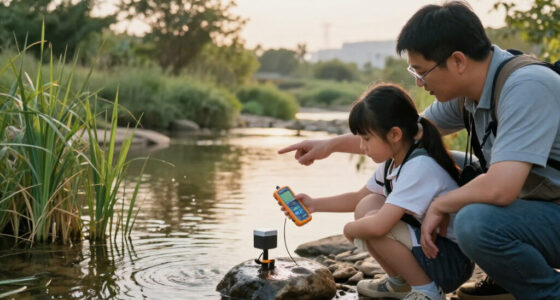
The best digital microscope for most students in this roundup is the TOMLOV DM301 Pro, which pairs a roomy 7-inch screen with a practical format for viewing samples together. For a larger display and more imaging flexibility, the Elikliv EM4K stands out; the HEWEIMEI 1600x is a simpler option aimed at younger learners. The main tradeoffs are screen size, ease of setup, image and output features, and whether a microscope is meant for broad classroom use or specialized coin inspection. A bigger screen can help with shared viewing, while a simpler unit may be less intimidating for independent exploration. Read on for the full comparison and guidance on matching a microscope to a student’s age, projects, and workspace.

Prime made for students and young adults
- Fast, free delivery for dorm and study essentials
- Prime Video and Amazon Music included
- Member-only deals
Key Takeaways
- The TOMLOV DM301 Pro is the strongest all-around fit for students who want a larger screen without choosing a microscope built around coin collecting.
- The Elikliv EM4K puts screen space and image features first, making it a better match for students who expect to connect the microscope to other displays or save detailed images.
- The HEWEIMEI and PalliPartners 4.3-inch models favor a smaller, simpler setup; their compact screens are easier to accommodate but less suited to group viewing.
- Three TOMLOV options serve different needs rather than being interchangeable: the DM301 Max is a general-purpose alternative, while the DM9 and DM4W Max focus on coin inspection and, for the DM4W Max, measurement.
- Magnification claims alone do not decide classroom usefulness. Screen comfort, focus control, output options, and the kinds of specimens a student will study matter more to the buying decision.
| HEWEIMEI 1600x Digital Microscope for Kids with 4-Inch Screen |  | Best for Hands-On Beginners | Magnification: 100x–1600x | Display: 4-inch IPS screen | Camera: Built-in 48MP; 1080p video | VIEW LATEST PRICE | See Our Full Breakdown |
| Elikliv EM4K 4K Digital Microscope with 8-Inch IPS Screen, 52MP Imaging and HDMI/USB Output |  | Best for Classroom Demonstrations | Screen: 8-inch IPS, 1280 × 800 | Magnification: 2x–2000x | Video: 3840 × 2160 at 30 fps | VIEW LATEST PRICE | See Our Full Breakdown |
| PalliPartners Digital Microscope with 4.3-Inch HD Screen |  | Best for Portable Field Study | Magnification: 50X–1000X | Display: 4.3-inch LCD | Resolution: 1080p / 720p | VIEW LATEST PRICE | See Our Full Breakdown |
| TOMLOV DM301 Pro Digital Microscope with 7-Inch Screen |  | Best for Structured Slide Lessons | Display: 7-inch IPS screen with adjustable viewing angle | Maximum magnification: 1200X | Lenses: Three achromatic lenses | VIEW LATEST PRICE | See Our Full Breakdown |
| TOMLOV DM9 7-Inch Digital Coin Microscope, 1200X |  | Best for Coins and Electronics Projects | Screen: 7-inch LCD | Magnification: Up to 1200X | Camera: 12MP | VIEW LATEST PRICE | See Our Full Breakdown |
| TOMLOV DM301 Max Digital Microscope with 7-Inch Screen |  | Best for Guided Slide Work | Display: 7-inch full-color IPS screen | Maximum magnification: 1200X | Lenses: Three achromatic lenses | VIEW LATEST PRICE | See Our Full Breakdown |
| TOMLOV DM4W Max Digital Coin Microscope with Built-In Scale, 7-Inch Screen |  | Best for Coin and Specimen Projects | Display: 7-inch, 800 × 480 | Video: 2K | Maximum photo resolution: 5440 × 3060 (16MP) | VIEW LATEST PRICE | See Our Full Breakdown |
| PalliPartners LCD Digital Microscope with 4.3-Inch 1080p Screen and 10MP Camera |  | Best Compact Pick for Beginners | Screen: 4.3-inch 1080p HD LCD | Camera: 10MP | Digital zoom: 1–1000× | VIEW LATEST PRICE | See Our Full Breakdown |
| digital microscopes for student | Display | Camera | Lighting | Magnification |
|---|---|---|---|---|
| HEWEIMEI 1600x Digital Microsc | 4-inch IPS screen | Built-in 48MP; 1080p video | 6 LEDs with 3 brightness modes | 100x–1600x |
| Elikliv EM4K 4K Digital Micros | — | — | — | 2x–2000x |
| PalliPartners Digital Microsco | 4.3-inch LCD | Listed as 2.0MP in description and 10MP in product highlight | 8 adjustable LED lights | 50X–1000X |
| TOMLOV DM301 Pro Digital Micro | 7-inch IPS screen with adjustable viewing angle | 8MP photos and 1080p video | Adjustable top and bottom LED lights | — |
| TOMLOV DM9 7-Inch Digital Coin | — | 12MP | 8 built-in LEDs and 2 flexible gooseneck lights | Up to 1200X |
| TOMLOV DM301 Max Digital Micro | 7-inch full-color IPS screen | — | — | — |
| TOMLOV DM4W Max Digital Coin M | 7-inch, 800 × 480 | — | — | — |
| PalliPartners LCD Digital Micr | — | 10MP | Eight adjustable LED lights | — |
More Details on Our Top Picks
HEWEIMEI 1600x Digital Microscope for Kids with 4-Inch Screen
The HEWEIMEI is the most adaptable starter pick here for students who want to inspect specimens at a desk and carry the microscope elsewhere. Its detachable desktop, handheld, and portable modes let a student move from prepared slides to larger objects without being tied to a stand. The 4-inch IPS screen and built-in photo and video capture also make group viewing and documenting discoveries straightforward. Compared with the PalliPartners 4.3-inch model, it offers more listed magnification and three rotating objective lenses, while the PalliPartners has a longer stated battery life and included 32GB card. The HEWEIMEI’s main compromise is its non-removable battery; its listed 48MP camera figure also does not specify image resolution, so I would not choose it for dependable high-detail documentation.
Pros:- Detachable desktop, handheld, and portable configurations suit different classroom activities.
- 4-inch IPS screen supports direct viewing without requiring a separate monitor.
- Six LEDs with three brightness modes allow lighting adjustments for different specimens.
- Includes slides and a sample preparation kit to help students get started.
Cons:- Built-in lithium polymer battery is non-removable.
- The 48MP camera listing does not state the still-image resolution, making documentation quality harder to judge.
- Its 4-inch screen is smaller than the 7-inch displays on the TOMLOV DM301 Pro and DM9.
Best for: Younger students and families who want one microscope for tabletop slide work and handheld exploration of everyday objects.
Not ideal for: Students who need a replaceable battery or clearly specified image resolution for formal project documentation.
- Magnification:100x–1600x
- Display:4-inch IPS screen
- Camera:Built-in 48MP; 1080p video
- Lighting:6 LEDs with 3 brightness modes
- Modes:Desktop, handheld, and portable
- Objective lenses:Triple rotating objective lenses
- Battery:Built-in, non-removable lithium polymer pouch cell
- Included items:Instruction manual, lanyard, sample preparation kit, and slides
Our verdict“Choose the HEWEIMEI for a young learner who values flexible handheld and desktop use more than a replaceable battery or a larger screen.”
Elikliv EM4K 4K Digital Microscope with 8-Inch IPS Screen, 52MP Imaging and HDMI/USB Output
The Elikliv EM4K is the strongest fit in this group when a student needs to show an image to classmates or save detailed project footage. Its 8-inch IPS display is larger than the screens on the TOMLOV DM301 Pro and DM9, and HDMI and USB outputs give students a way to share the view on a monitor or computer. The listed 4K video and 52MP still imaging also give it a documentation advantage over the DM301 Pro’s 1080p video and 8MP photos. That capability comes with a more involved setup: the 10-inch stand and extendable base need more desk space than the compact HEWEIMEI. Video is limited to 30 fps, so fast-moving subjects may look less fluid. For students focused on portability or quick, simple slide viewing, this is more equipment than they need.
Pros:- 8-inch IPS display gives small groups a larger direct-viewing area.
- 4K video and 52MP still-image specifications support detailed project records.
- HDMI and USB outputs allow viewing on an external display or computer.
- Remote control and extendable stand support hands-free operation.
Cons:- 10-inch stand and extendable base take more workspace than the portable HEWEIMEI.
- Video capture is limited to 30 fps.
- Its larger screen and stand make it less convenient to carry between outdoor study locations.
Best for: Students preparing microscope presentations or science-fair records who want a large shared screen and connections to classroom displays.
Not ideal for: Students with a crowded desk, a need to track fast-moving specimens, or a preference for a compact handheld microscope.
- Screen:8-inch IPS, 1280 × 800
- Magnification:2x–2000x
- Video:3840 × 2160 at 30 fps
- Image resolution:52MP (9600 × 5400)
- Outputs:HDMI and USB
- Stand:10 inches high; extendable base up to 6.3 inches
- Battery:Built-in rechargeable battery
- Included accessories:16GB Micro SD card, light barrier, metal base with stand, and remote control
Our verdict“Pick the Elikliv EM4K when shared viewing and high-resolution documentation matter more than desk space and portability.”
PalliPartners Digital Microscope with 4.3-Inch HD Screen
For students who want to take close-up observations outside the classroom, the PalliPartners combines a rechargeable design with a stated 4–5 hours of battery life and an included metal support bracket. Its 4.3-inch screen is slightly larger than the HEWEIMEI’s, and the included 32GB microSD card means students can save photos and videos without sourcing storage first. The tradeoff is less certainty about imaging: the product data lists both a 2.0MP camera and a 10MP camera highlight, so buyers cannot confidently compare its capture detail with the TOMLOV DM301 Pro’s specified 8MP photos. Its 50X–1000X range is also below the HEWEIMEI’s listed maximum. I’d favor this model for portable observation and basic records, not for medical or cell work, which the product itself says it is not suited for.
Pros:- Rechargeable battery is specified for 4–5 hours of use.
- 32GB microSD card is included for saving photos and videos.
- Metal bracket supports hands-free viewing in the field or at a desk.
- Eight adjustable LEDs help adapt illumination to different objects.
Cons:- Camera resolution is inconsistent in the supplied product information: 2.0MP in one spec and 10MP in a product highlight.
- Maximum listed magnification is lower than the HEWEIMEI’s 1600x and the Elikliv EM4K’s 2000x.
- Not suitable for cell or medical purposes.
Best for: Students who collect plant, coin, or outdoor-object observations and want a rechargeable microscope with storage included.
Not ideal for: Students needing medical or cell examination, or those who require an unambiguous camera-resolution specification.
- Magnification:50X–1000X
- Display:4.3-inch LCD
- Resolution:1080p / 720p
- Camera:Listed as 2.0MP in description and 10MP in product highlight
- Lighting:8 adjustable LED lights
- Battery life:4–5 hours
- Storage:32GB microSD card included
- Included support:Metal bracket
Our verdict“Choose the PalliPartners for portable general specimen study and included storage, but skip it if camera clarity or cell work is a priority.”
TOMLOV DM301 Pro Digital Microscope with 7-Inch Screen
The TOMLOV DM301 Pro is the most classroom-oriented choice for students working through prepared slides and recording observations. Its three achromatic lenses, top-and-bottom LED lighting, and included prepared and blank slides give lessons a more traditional specimen-study structure than the object-focused TOMLOV DM9. A 7-inch adjustable IPS screen is comfortable for solo viewing, while Wi-Fi app support and USB/HD output let students share work on other devices. The built-in measurement overlay may also help with basic comparisons, though it does not turn this into a specialized lab instrument. Against the Elikliv EM4K, the DM301 Pro offers a more slide-centered kit but has lower specified capture resolution and a smaller screen. Its up to three-hour battery life also makes it less suited to long sessions away from power.
Pros:- Three achromatic lenses and included prepared and blank slides support structured specimen lessons.
- 7-inch IPS display has an adjustable viewing angle.
- Wi-Fi app support plus USB and HD output allow students to share the image.
- Top and bottom adjustable LEDs support different specimen lighting needs.
Cons:- Battery life is limited to up to three hours.
- 8MP photos and 1080p video are less specified capture detail than the Elikliv EM4K offers.
- Its slide-focused design is less suited to broad inspection of larger objects than the TOMLOV DM9.
Best for: Middle- and high-school students following slide-based biology lessons who want included practice slides and ways to share observations.
Not ideal for: Students who need all-day battery life, high-resolution 4K documentation, or a microscope mainly for coins and electronics.
- Display:7-inch IPS screen with adjustable viewing angle
- Maximum magnification:1200X
- Lenses:Three achromatic lenses
- Camera:8MP photos and 1080p video
- Connectivity:Wi-Fi app support, USB, and HD output
- Lighting:Adjustable top and bottom LED lights
- Battery life:Up to 3 hours
- Included slides:5 prepared slides and 5 blank slides
Our verdict“Choose the DM301 Pro for slide-based lessons and classroom sharing, but favor the Elikliv EM4K for higher-resolution records or the DM9 for general object inspection.”
TOMLOV DM9 7-Inch Digital Coin Microscope, 1200X
The TOMLOV DM9 is better suited to inspecting coins, circuit boards, and other solid objects than to a slide-first biology course. Its adjustable 8.5-inch metal stand and metal base hold a subject steady, while eight built-in LEDs and two flexible gooseneck lights give students more control over reflections and shadows. That makes it a practical project bench option beside the TOMLOV DM301 Pro, whose included lenses and slides point more clearly toward classroom specimen lessons. The DM9 also captures 12MP photos and 1080p video, and it connects to Windows and Mac computers for a larger view. The listed 1200X maximum is not automatic: students need to adjust the stand and focus to inspect details. Its base is described for light soldering tasks, not heavier work, and the 7-inch screen is smaller than the Elikliv EM4K’s 8-inch display.
Pros:- Adjustable metal stand and base provide a stable platform for solid objects.
- Eight built-in LEDs and two flexible gooseneck lights offer varied illumination angles.
- 12MP photos and 1080p video support project documentation.
- Windows and Mac compatibility provides a route to a larger computer display.
Cons:- Reaching the listed 1200X magnification requires stand and focus adjustments.
- Base is described for light soldering, not heavier soldering work.
- Its general-purpose object setup is less tailored to slide lessons than the TOMLOV DM301 Pro.
Best for: Students exploring coin details, electronics, jewelry, or light soldering who want a stable stand and computer connectivity.
Not ideal for: Students whose main work is prepared biological slides, or anyone planning heavier soldering on the microscope base.
- Screen:7-inch LCD
- Magnification:Up to 1200X
- Camera:12MP
- Video:1080P
- Lighting:8 built-in LEDs and 2 flexible gooseneck lights
- Stand:Adjustable 8.5-inch metal stand
- Storage:16GB microSD card included
- Computer compatibility:Windows and Mac
Our verdict“Pick the DM9 for stable close-up work on coins and electronics, but choose the DM301 Pro for a more slide-oriented student setup.”
TOMLOV DM301 Max Digital Microscope with 7-Inch Screen
The DM301 Max is the strongest fit here for students learning to examine prepared slides: its three achromatic lenses, metal X-Y stage, and adjustable top and bottom lights support more controlled specimen viewing than the handheld PalliPartners LCD Digital Microscope. The 7-inch IPS display gives classmates room to follow along, while 8MP photos and 1080P video let students save observations or share them through the app. It also connects to TVs, laptops, and projectors, a useful classroom advantage over simpler screen-only models. The tradeoff is a more involved setup and a battery life of up to three hours. Its kit includes five prepared slides, a modest starter set, so students planning extended slide study may need to add specimens.
Pros:- Three achromatic lenses and adjustable top and bottom LEDs support viewing different slide specimens.
- Metal X-Y stage allows controlled slide movement while observing.
- 7-inch IPS display and TV, laptop, and projector connections support shared viewing.
- Captures 8MP images and 1080P video, with Wi-Fi app sharing.
Cons:- Battery life is limited to up to three hours.
- Only five prepared slides are included, so the starter collection is small.
- More setup and accessories may be unnecessary for students who only need quick handheld inspection.
Best for: Students and families focused on biology slides who want a stable stage, adjustable illumination, and ways to share observations with a group.
Not ideal for: Students who mainly inspect coins or handheld objects, or who need long sessions away from a power source; the slide-focused stage and up-to-three-hour battery are less suited to those needs.
- Display:7-inch full-color IPS screen
- Maximum magnification:1200X
- Lenses:Three achromatic lenses
- Image resolution:8MP
- Video resolution:1080P
- Stage:Metal X-Y stage with 1.0 mm scale divisions
- Illumination:Adjustable top and bottom LED lights
- Connectivity:Wi-Fi app control; USB and HD connections
- Battery life:Up to 3 hours
Our verdict“Choose the DM301 Max for structured slide-based biology learning and group viewing, but skip it for casual portable inspection or extended battery-powered sessions.”
TOMLOV DM4W Max Digital Coin Microscope with Built-In Scale, 7-Inch Screen
The DM4W Max takes a specialist route: it pairs a 7-inch microscope display with a built-in scale, making it more useful for coin studies, jewelry projects, or classroom exercises that involve weighing small items than the slide-oriented TOMLOV DM301 Max. Students can inspect details, capture 2K video or 16MP photos, and weigh in grams, ounces, carats, or troy ounces without changing devices. USB output also allows viewing on a Windows or Mac computer. That combination is handy, but the scale’s ±0.5 g accuracy limits its usefulness for precise measurements, despite its 0.1 g resolution. Full-view coin size is capped at 32 mm, so larger pieces may need repositioning. This is a focused tool, not the most flexible choice for standard biology-slide lessons.
Pros:- Combines magnified inspection and weighing in one device.
- Offers four weighing units: g, oz, ct, and ozt.
- 7-inch display and USB output allow viewing on the device or a compatible computer.
- Records 2K video and captures photos up to 16MP.
Cons:- Scale accuracy is ±0.5 g, which may not suit precise classroom measurements.
- Full-view coin size is limited to 32 mm; larger pieces may need repositioning.
- Its coin-and-weighing focus is less suited to routine slide-based biology work than the DM301 Max.
Best for: Students working on coin collections, jewelry, or small-object projects who want magnified inspection and basic weight readings in one setup.
Not ideal for: Students whose main work is examining biological slides or measuring very light objects precisely; the coin-centered layout and ±0.5 g scale accuracy are limiting.
- Display:7-inch, 800 × 480
- Video:2K
- Maximum photo resolution:5440 × 3060 (16MP)
- Scale resolution:0.1 g
- Scale accuracy:±0.5 g
- Weighing units:g, oz, ct, ozt
- Full-view coin size:Up to 32 mm
- Connectivity:USB output; compatible with Windows and Mac
Our verdict“Pick the DM4W Max for student projects combining coin or small-object inspection with basic weighing, not as a general-purpose biology microscope.”
PalliPartners LCD Digital Microscope with 4.3-Inch 1080p Screen and 10MP Camera
For students who want a straightforward screen-based microscope without a large stand or multi-part slide system, the PalliPartners LCD Digital Microscope is the most approachable option in this group. Its 4.3-inch LCD shows the live image without requiring a separate monitor, and the metal bracket gives beginners a stable hands-free setup; the unit can also be used handheld for quick checks. Eight adjustable LEDs help illuminate samples, while the focus wheel and zoom controls offer a simple way to refine the view. Unlike the more classroom-oriented TOMLOV DM301 Max, it does not list achromatic lenses, a slide stage, or external display connections. Its 1–1000× figure is digital zoom, not optical magnification, so it is better for basic observation than lessons demanding controlled slide work or dependable high-magnification detail.
Pros:- Built-in 4.3-inch LCD provides live viewing without a separate monitor.
- Metal bracket supports stable hands-free inspection, with handheld use available for quick checks.
- Eight adjustable LED lights help adapt illumination to different samples.
- Includes a two-year warranty.
Cons:- The 1–1000× range is digital zoom rather than optical magnification.
- Handheld viewing is less stable than using the included bracket.
- The supplied details do not list external display connections or a dedicated slide stage.
Best for: Younger students and beginners who need a compact, easy-to-position microscope for basic specimen or component viewing at home.
Not ideal for: Students doing formal slide-based biology or needing optical magnification and shared classroom display; digital zoom and the small screen offer less support than the DM301 Max.
- Screen:4.3-inch 1080p HD LCD
- Camera:10MP
- Digital zoom:1–1000×
- Lighting:Eight adjustable LED lights
- Bracket:Metal
- Use:Handheld or bracket-mounted
- Included items:Microscope, USB cable, user manual
- Warranty:2 years
Our verdict“Choose this PalliPartners model for compact, beginner-friendly observation, but opt for the DM301 Max when stable slide study and classroom sharing matter more.”

How We Picked
I ranked these digital microscopes for student use by how well their displays, controls, and viewing formats support hands-on learning across common school and hobby tasks. I weighed screen size and clarity, ease of focusing, imaging and connection options, build and setup practicality, and whether the product’s design is broad-use or specialized. I also treated advertised magnification as only one part of the picture: a high figure does not by itself tell a student how easy a specimen will be to see or discuss.
The DM301 Pro ranks first because its 7-inch screen and general-purpose positioning make a strong balance for individual work and shared observation. The Elikliv earns a standout place for its larger IPS display and 4K, camera, and output claims, though its feature-rich setup may be more than a younger student needs. Smaller-screen models rank lower for group use but can suit basic exploration, while the coin-focused TOMLOV models are better picks when the student’s main subject is currency or surface detail rather than varied classroom specimens.
Factors to Consider When Choosing Digital Microscopes For Students
Choosing a student microscope is less about buying the largest number on the box and more about matching the setup to how a learner will use it. I would start with the student’s typical specimens, viewing habits, and need to share or save observations, then weigh the following factors.
Match the Microscope to the Student’s Subjects
Before comparing magnification claims, list what the student expects to inspect: leaves, fabric, insects, rocks, electronics, or coins. These subjects vary in size, texture, and how much lighting or working distance they need, so one microscope may not suit every project equally well. A coin-focused design can make sense for a collector but may be an unnecessarily narrow choice for a biology class. A broad-use model gives more room to explore different objects, though it may lack a specialized feature such as an on-screen measurement scale. Ask a teacher for likely project requirements if the microscope is being purchased for a specific course. Buying for real assignments can prevent paying for features that stay unused.
Choose a Screen for How the Student Will Learn
A built-in screen lets students view specimens without keeping an eye pressed to an eyepiece, which can make short observation sessions more comfortable. Screen size matters most when a student needs to compare details with classmates or explain findings at a table. A compact display can be perfectly workable for one learner, but it may encourage taking turns rather than group discussion. A larger screen takes more room and may make the unit less convenient to store or move between home and school. Don’t assume that screen size alone guarantees a clearer image; display resolution, focus, lighting, and the specimen all affect what appears. Think about where the microscope will sit and who needs to see it at once.
Treat Magnification as One Part of Image Quality
Advertised magnification can sound decisive, yet it does not describe how sharp, bright, or stable the image will be. At very high magnification, a small focus adjustment or specimen movement can make viewing harder, especially for younger students. A useful learning setup should let the student bring an object into focus and keep it steady, not just claim an impressive maximum. Resolution and lighting also shape whether fine details are distinguishable on screen. For classroom work, a clear view at a practical magnification can be more useful than a difficult-to-manage extreme. If possible, prioritize usable focus controls and a stable stand alongside headline numbers.
Decide Whether Image Saving and External Output Matter
Some students only need to observe a specimen in the moment; others must document results for a report or share them with a class. Camera specifications and USB or HDMI output can help with recording or displaying observations, but the value depends on compatibility with the student’s computer, monitor, and school rules. Confirm what connections are included and whether the intended device supports them before treating an output feature as a deciding advantage. Saving images can also shift a project from looking at samples to comparing them over time. That is useful for science journals, but adds file handling and setup steps. Younger learners may benefit more from a straightforward viewing routine than a long list of capture options.
Balance Independence Against Adult Setup
A microscope for a younger student should be simple enough to use without constant help, while older students may appreciate controls that offer more flexibility. Consider how the unit is powered, how samples are positioned, and whether the student can adjust focus and lighting comfortably. A feature-rich model can support more ambitious projects but may introduce extra setup or connection decisions. A basic screen-based microscope can lower the learning curve, though it may offer fewer ways to document or present findings. If the microscope will travel between rooms, storage and handling matter as much as the control layout. The best fit is the one the student can use consistently, not the one with the longest feature list.
Know When a Specialized Microscope Is Worth It
Specialized features make sense when they directly support a recurring activity, such as examining coins or measuring a specimen on screen. A built-in scale can be useful for comparisons, but students should learn what the scale measures and whether calibration or setup is needed before relying on measurements in schoolwork. A general-purpose microscope is usually a safer choice when interests are still developing or assignments change throughout the year. Conversely, a student with a clear collecting or inspection hobby may get more practical use from a purpose-built model. Avoid paying for a specialist function based only on the possibility that it might come in handy. Choose it when the student has a regular task that benefits from it.
Frequently Asked Questions
Is a 7-inch screen worth choosing over a 4.3-inch screen for a student?
A 7-inch screen is a useful advantage when classmates or family members will view specimens together, or when a student needs more room to inspect details on screen. A 4.3-inch display can work well for individual exploration and may suit a smaller desk or a simpler routine. The larger display does not automatically produce a sharper image, so screen resolution and the camera’s image quality still matter. Think about whether the microscope will be used for demonstrations or mostly by one student at a time. For shared classroom discussion, I would favor more screen space; for occasional solo use, a smaller screen may be enough.
Should I choose a microscope with a high advertised magnification for school projects?
Not by itself. A high advertised magnification does not tell you whether the image will be bright, stable, or easy for a student to focus. Many school projects involve comparing visible textures and structures, where a clear, manageable view is more helpful than reaching the highest stated setting. Ease of positioning the sample and keeping it in focus can have a larger effect on a student’s experience. Match the microscope to the specimens in the course rather than assuming the biggest magnification claim is best. If a project requires a specific level of detail, check the teacher’s requirements.
Do students need HDMI or USB output?
External output is helpful when a student needs to show observations on a classroom display, use a computer, or include images in a project. It is not necessary for basic hands-on viewing, so it may add complexity without much benefit for a younger learner who only needs the built-in screen. Check compatibility with the devices the student will actually use, as well as any school restrictions on connecting equipment or saving images. A connection feature is most valuable when it supports a regular assignment or presentation. Otherwise, a straightforward standalone setup can be easier to use.
Is a coin-focused digital microscope suitable for biology assignments?
It may show surface detail, but its design is best matched to coin inspection rather than a varied set of biology activities. Students studying plants, insects, or other specimens should check that the microscope’s sample placement and working area suit those objects. A specialized coin model can be a sensible hobby purchase when collecting is the main goal, but it is a less flexible choice for changing school projects. The TOMLOV DM9 and DM4W Max are the specialist options in this lineup, with the DM4W Max adding a built-in scale. For mixed coursework, a general-purpose model is usually the more adaptable starting point.
What should I check before buying a digital microscope for a younger student?
Focus on whether the student can set up a specimen, adjust focus, and view the result with limited adult help. A built-in screen can make observation more accessible than an eyepiece-only arrangement, while a smaller, less feature-heavy unit may be easier to manage. Check the microscope’s stability and workspace needs, since a crowded or shaky desk can make fine viewing frustrating. Also think about who will store and move it, and whether the student needs to save images for school. If the student is still learning how to handle small equipment, simple controls and a consistent routine may matter more than advanced camera features.
Conclusion
For most students, I would choose the TOMLOV DM301 Pro as the best overall because its 7-inch screen and general-purpose format support varied exploration and shared viewing. The HEWEIMEI 1600x is my best value-style pick for straightforward beginner use, while the Elikliv EM4K is the best premium-feature choice for students who will make use of its larger IPS screen, imaging claims, and HDMI/USB outputs. Younger learners who want a compact, uncomplicated display can look at the PalliPartners 4.3-inch models. For coin collectors, the TOMLOV DM9 is the focused option, while the DM4W Max makes more sense when its built-in scale supports the student’s inspection work. Choose the DM301 Max as another general-use TOMLOV alternative, and prioritize the student’s actual projects over magnification claims when making the final call.
Black Friday Picks

Vitamix Nano Personal Blender with SmoothiePilot, Black
As an affiliate, we earn on qualifying purchases.