
TL;DR

Prime made for students and young adults
- Fast, free delivery for dorm and study essentials
- Prime Video and Amazon Music included
- Member-only deals
Building your own AI workstation used to be cheaper, but in 2026, prebuilt systems often match or beat DIY in cost due to component shortages and bulk buying. The decision hinges on control and support versus convenience and speed.
Imagine staring at a blank screen, ready to jump into AI model training. The question isn’t just ‘what hardware do I need?’ but also ‘do I build it myself or buy ready-made?’ For years, building was the clear winner on cost, with the added fun of customizing every detail. But today, the landscape has shifted. With chip shortages and skyrocketing component prices, prebuilt AI workstations are often just as affordable — or even cheaper.
This choice impacts more than money. It involves your control over the system, your ability to upgrade later, and how much support you get when things go wrong. In this article, I’ll walk you through the real trade-offs, backed by recent market changes. Whether you’re a hobbyist, researcher, or a professional in AI, understanding these factors can save you time, money, and headaches. Learn more about AI hardware considerations.
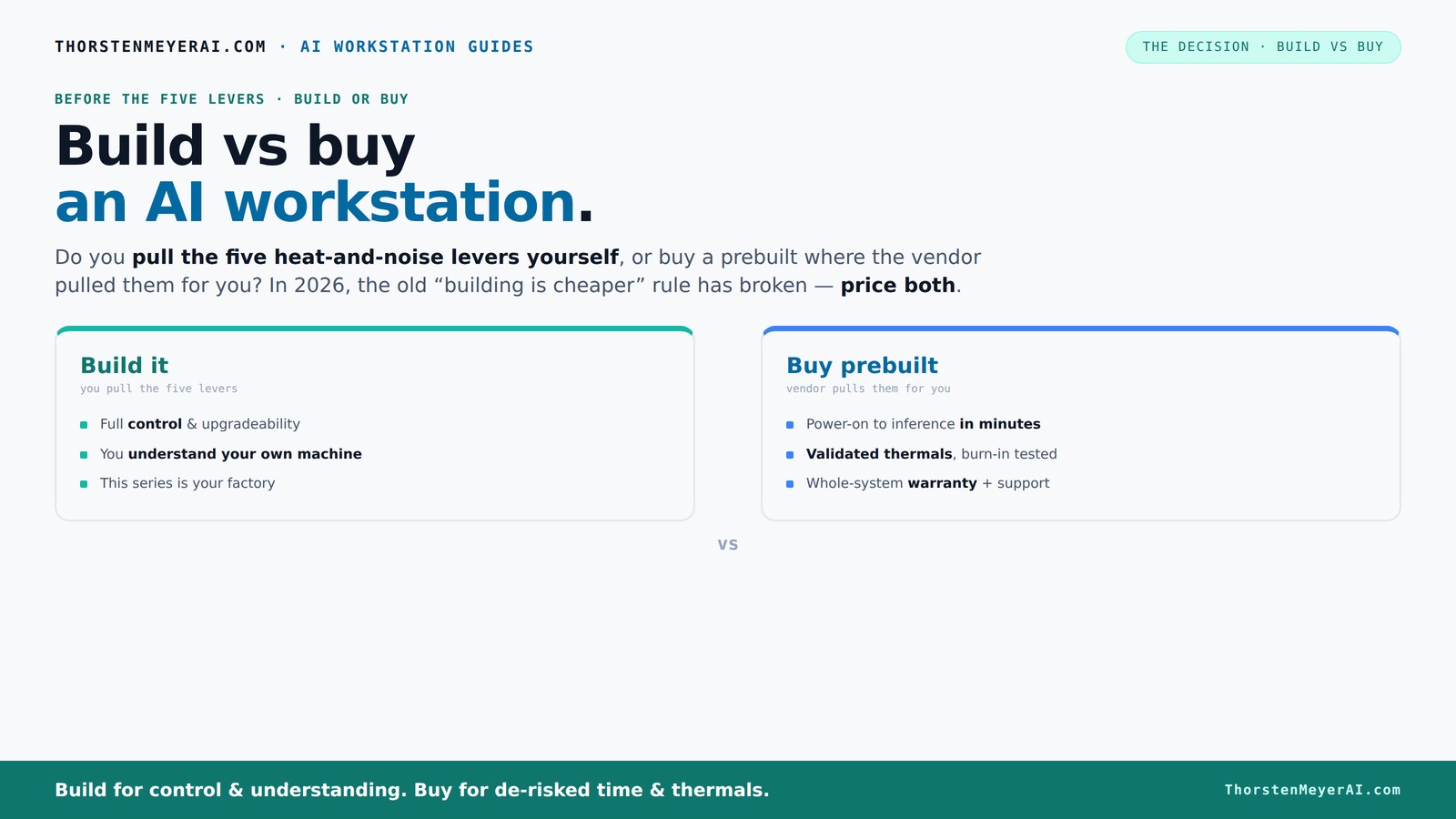
Build vs buy
an AI workstation.
The real question behind this whole series: do you pull the five heat-and-noise levers yourself, or buy a prebuilt where the vendor pulled them for you? And in 2026, the old “building is cheaper” rule has broken. Match your situation in Part 3.
Key Takeaways
- In 2026, prebuilt AI workstations often match or beat DIY in price due to component shortages and bulk buying.
- Choose a prebuilt if you want quick setup, tested thermals, and warranty support. It’s less risky during busy AI projects.
- Building your own offers full control, customization, and upgradeability — but requires time, effort, and thermal expertise.
- Prioritize GPU VRAM (24GB+), ample RAM, and proper cooling for best AI performance, regardless of build or buy.
- Always compare prices for your specific config today — the market has flipped the traditional build-cheaper rule.
As an affiliate, we earn on qualifying purchases.
What Is an AI Workstation — And Why Does It Matter?
An AI workstation is a high-powered computer designed to handle heavy-duty machine learning tasks. Think a machine with multiple GPUs, tons of VRAM, fast storage, and robust cooling. These systems run complex models, process vast datasets, and need to stay cool during hours of continuous use.
For example, a researcher training a language model might push a system to its limits with 4 high-end GPUs, 128GB RAM, and NVMe SSDs. The stability of this setup over long sessions matters more than raw specs because overheating or throttling can ruin productivity. In 2026, the quality and reliability of your hardware become just as crucial as its speed.
Build vs Buy: The Real Trade-Offs You Need to Know
| Build Your Own | Buy Prebuilt |
|---|---|
| Cost: Usually cheaper, but recent shortages have flipped this. Expect to pay $1,250+ for a solid setup now. | Cost: Slightly more expensive, but often comparable or even lower due to bulk buying and component discounts. |
| Control: Choose every part, tune thermals, and upgrade as you like. | Control: Limited options, but the vendor handles thermal tuning, testing, and warranty. |
| Time & Effort: Requires sourcing parts, assembling, troubleshooting, and tuning. It’s a labor of love. | Time & Effort: Plug-and-play. Ready to run with pre-installed OS and AI tools. |
| Support & Warranty: DIY support, limited warranty unless you buy extras. | Support & Warranty: Single vendor support, often 3–5 year warranties, and burn-in testing. |
| Upgradeability: Easier, custom parts fit, and repairs are straightforward. | Upgradeability: Sometimes proprietary parts or connectors limit future upgrades. |
Recent market shifts mean you should always price both options today. What was once a no-brainer — build cheaper — no longer holds true across all configurations.
When Buying Prebuilt Makes Sense — And When It Doesn’t
If you need a system fast, prefer plug-and-play, or want tested stability, a prebuilt system is a smart choice. Vendors like Lambda and Puget run extensive burn-in tests, optimize thermals, and offer warranties, reducing your risk of thermal throttling or hardware failure.
For example, a startup needing to start training models tomorrow might find a prebuilt system more cost-effective than sourcing parts, assembling, and troubleshooting. Plus, it comes with support if something breaks during a big training run. Check out prebuilt AI workstations for reliable options.
However, if customization, future upgrades, or cost savings are your priority, building your own might still be better. Hobbyists or researchers who enjoy tinkering can tune every detail, from undervolting GPUs to optimizing airflow.
When Building Yourself Is Still the Best Move
Building your own AI workstation works best if you love the process, want to customize heavily, or have specific hardware needs. For example, if you want a machine with a unique GPU, 256GB RAM, or a custom cooling setup, DIY gives you full control.
Additionally, building your own system allows you to select components that precisely match your workload, whether that means prioritizing noise reduction, power efficiency, or specialized hardware like tensor cores. This level of customization can lead to better performance and longevity if done correctly. For guidance, see DIY build tips.
Plus, if you enjoy the challenge, you can often save money—though this is less true now. You can select quiet GPUs, undervolt, and optimize airflow to keep the system cool and silent. For more tips, visit DIY workstation guides.
Another advantage is upgradeability—most DIY systems are easier to expand or repair, avoiding proprietary parts that lock you in. This flexibility can be crucial for future-proofing your investment, especially if your workload grows or hardware advances rapidly.
The Most Critical Specs for AI Work — What Really Matters?
When choosing components, focus on GPU power, VRAM, RAM size, storage speed, and cooling. For example, deep learning models benefit from GPUs with at least 24GB VRAM — like the RTX 4090 or A100.
Memory capacity is equally important; 128GB RAM helps handle large datasets without bottlenecks. Fast NVMe SSDs reduce data loading times, keeping your GPU fed. And cooling—either air or water—directly impacts sustained performance.
Understanding these specs helps you avoid bottlenecks. For instance, investing in a GPU with insufficient VRAM will limit your ability to train large models, forcing you to reduce batch sizes or split workloads, which can slow down your entire pipeline. Similarly, inadequate cooling can cause thermal throttling, reducing clock speeds and overall performance. Prioritizing these specs ensures your system remains robust under heavy loads, maximizing productivity and reducing downtime.
Common Mistakes Buyers Make — And How to Avoid Them
Don’t skimp on the power supply. Many overlook the importance of a reliable, high-quality PSU, which can cause stability issues during long training runs. Aim for at least 80 Plus Gold-rated units with headroom. A weak or underpowered PSU can lead to system crashes, data corruption, or even hardware damage during intensive workloads. Investing in a high-quality power supply ensures stable voltage delivery, especially during peak load, prolonging component lifespan.
Beware proprietary parts—some prebuilts use custom cooling or connectors that make future upgrades a nightmare. Always check upgrade paths before buying. Proprietary components can lock you into specific brands or models, limiting your ability to replace or upgrade individual parts later. This can lead to higher costs or the need to replace entire systems sooner than expected.
Ignore thermals at your peril. Overheating chips throttle, reducing your system’s power and lifespan. Always consider airflow and cooling solutions, whether building or buying. Proper thermal management ensures your hardware runs at optimal speeds for longer periods, preventing performance dips and hardware failure. This means investing in quality fans, heatsinks, or liquid cooling, and planning airflow paths carefully to avoid hotspots.
Finally, don’t forget to match your GPU to your workload. A 24GB VRAM GPU is a must for large models, but a cheaper 8GB card might suffice for smaller projects, wasting your budget on unnecessary power. Overspending on high-end GPUs for small tasks can be inefficient, while underinvesting in VRAM for large models hampers your ability to scale. Balance your hardware choices with your workload requirements to get the best value and performance.
Your FAQs — Quick Answers to Common Questions
- Is a prebuilt AI workstation worth it? Yes, especially if you value support, quick deployment, and proven thermal performance. It reduces setup time and risk.
- Will I get better performance if I build my own? Not necessarily. Recent market shifts mean prebuilts often match or beat DIY costs, with the added benefit of tested stability.
- How much more expensive is a prebuilt system? Sometimes less, sometimes more — it depends on your specs. Always price both options before deciding.
- Which parts matter most for AI workloads? GPU VRAM, CPU, RAM, and cooling are king. Prioritize GPUs with 24–48GB VRAM for large models.
- Do prebuilts use lower-quality components? Not necessarily. Reputable vendors use high-quality parts and test thoroughly, but always check reviews and warranty details.
Frequently Asked Questions
Is a prebuilt AI workstation worth it?
Absolutely, if you need a system that’s ready to go with validated thermals, support, and minimal setup time. It’s a safer choice for busy professionals.Will I get better performance if I build my own?
Not necessarily. With current market conditions, prebuilts often match or beat DIY costs, especially when factoring in thermal tuning and testing.How much more expensive is a prebuilt system?
It varies. Sometimes it’s more, sometimes less—always compare prices for your exact specs before deciding.Which parts matter most for AI workloads: GPU, VRAM, RAM, CPU, SSD, or PSU?
GPU VRAM and power are critical. Aim for at least 24GB VRAM for large models, with ample RAM and fast storage to keep data flowing.Do prebuilts use lower-quality components?
Not necessarily. Reputable vendors use high-quality parts, but always check warranties and reviews to be sure.Conclusion
Whether you decide to build or buy, remember that today’s market favors smart pricing and thermal management. It’s no longer just about saving a few bucks — it’s about reliability, support, and peace of mind.
Think of your AI workstation as an investment. Choose the path that best matches your skills, needs, and patience. After all, a well-chilled, stable machine can turn hours of training into minutes of results — and that’s priceless.
Fall Picks
fall essentials
As an affiliate, we earn on qualifying purchases.